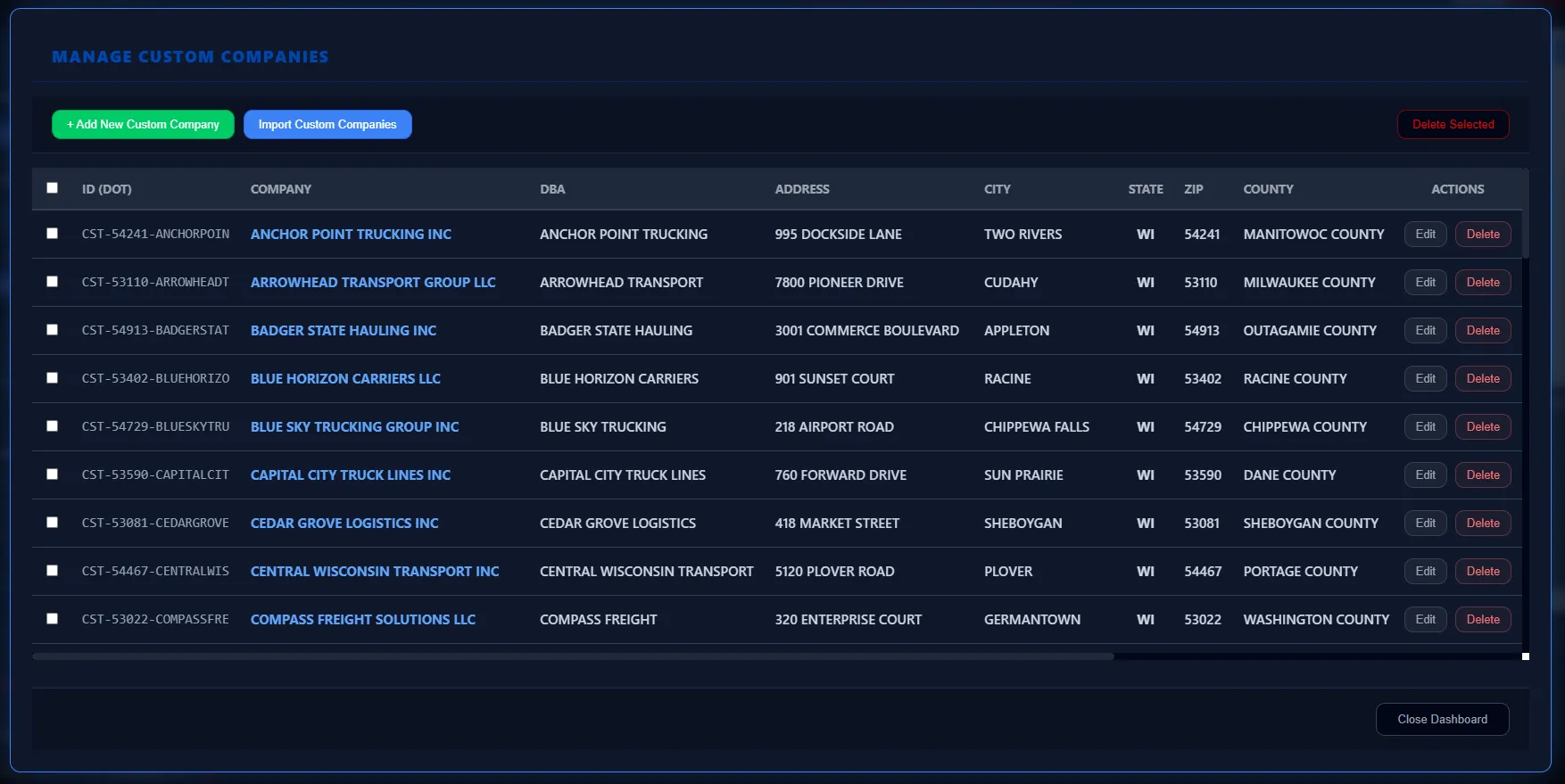
TruckerIntelligence is offline FMCSA fleet data software for Windows that helps dealership and OEM sales teams find trucking fleets in their territory, generate targeted trucking sales leads, understand each account, log activity, and research fleets on the web without leaving the app.
MAPINTEL is the map-based view inside TruckerIntelligence. It plots fleets on a territory map for all 50 U.S. states, the District of Columbia, Puerto Rico, Guam, and the U.S. Virgin Islands so users can visually scan where fleets are clustered and how dense a state or region is before they start calling. Records for Canada, Mexico, military fleets, American Samoa, and the Northern Mariana Islands are still available in the database for filtering and export, but they are not included in the map to keep the view clean and responsive.
FLEETFOCUS controls how tight the view is on the current territory. With no filters applied, users see every fleet in the state or region that matches the base criteria, which is useful for understanding the total market. When a rep starts to work, FLEETFOCUS lets them filter on company name, center city and radius, power units, trailers, drivers, operation type, and listed cargo tags such as refrigerated, flatbed, dry van, liquids, or construction. As filters are adjusted, both the data table and MAPINTEL map recalculate against the same filtered set so the map and table always show one consistent view. Clearing filters returns the system to the full state or territory.
FLEETINTEL is the detail panel for a single fleet. It presents the core FMCSA census fields in a clean layout, including legal name, doing business as name, address, city, state, ZIP code, phone, email when available, USDOT number, operation type, cargo hauled, power units, trailers, and driver counts. From FLEETINTEL, reps can start a new Activity Log for the account, reopen existing Activity Logs, launch DATAPORTAL to research the fleet on the web, and export company-level history when they need a focused review of one customer without the rest of the territory on screen.
ACTIVITYHUB turns Activity Logs into a lightweight mini CRM. Each fleet gets a running history of interactions with a Subject line, notes for key points and decisions, and clear next steps. When a rep clicks Save Log, the entry is added to the account history and linked back to the fleet in both FLEETINTEL and the territory table. If a follow-up is needed, the rep can Flag for Follow-up and set a specific date. The system tracks the follow-up status as Scheduled, Due Soon, or Overdue and uses visual styling in the table and Activity Log panel to highlight fleets with open commitments so users know which accounts need attention.
ACTIVITYHUB Focus Modes let reps slice their current FLEETFOCUS result set by behavior instead of just data. In All Focused Results mode, every fleet that matches the FLEETFOCUS filters is visible. Customers With Logs mode limits the view to fleets that already have Activity Logs on file, which is useful for account management. Active Follow-Up Flags mode shows only fleets with outstanding follow-ups, so reps can focus on open commitments. Follow-Up Flag Due Soon mode prioritizes urgency by highlighting fleets with follow-ups scheduled in the next few days. These modes allow users to pivot between prospecting and follow-up work without changing their underlying filters.
The Visual Priority System makes follow-up status obvious at a glance in both FLEETINTEL and the main table. Fleets with no Activity Logs retain the neutral color treatment, while fleets with history are highlighted. When a fleet has a follow-up flagged as Due Soon or Overdue, the company row and the related Activity Log card upgrade to a more urgent styling so the account stands out in the list. Within the Activity Log history, each flagged entry shows a status pill indicating whether it is Scheduled, Due Soon, or Overdue. When a follow-up is completed, Mark Done clears the flag, returns the log to a standard history state, and removes it from the active focus sets.
The Excel Gateway handles data in and out of TruckerIntelligence while preserving a consistent column layout. Global exports push the current FLEETFOCUS result set to Excel with all columns plus latitude and longitude centroids so sales and management teams can run pivots, filter lists, review coverage, and build follow-up work plans. Activity Log exports create a complete history file of every log across the database, including timestamps, subjects, notes, follow-up dates, and follow-up status for audit, coaching, and territory reviews. A dedicated export for open follow-up flags focuses on work that is still in motion, while a company-level export lets users pull history for a single account.
Import Activity Logs lets managers merge ACTIVITYHUB exports back into the local database on another licensed machine, so teams can move account history across laptops without copying raw databases. The importer checks for unchanged, native TruckerIntelligence Excel files and rejects altered structures to protect data integrity.
DATAPORTAL is the in-app research window wired to the current fleet. It opens FMCSA company snapshot pages, SAFER profiles, Google searches, and Google Maps routes with one click so users can research fleets, confirm addresses, and plan travel while staying locked on the same account in FLEETINTEL and MAPINTEL. Common tasks like opening the FMCSA census page, building a Google search for the fleet name, and launching a map route all run through DATAPORTAL.
The DATAPORTAL frame is hardened to protect local data. It runs without admin-level access, blocks pop-ups and new windows, and disables standard file downloads from external websites. The only allowed download inside the shell is the built-in PDF export generated by TruckerIntelligence. When a full browser session with extensions and bookmarks is needed, the Open in External Browser control hands the current URL off to the machine’s default browser and closes the in-app view, keeping FMCSA data, license keys, and Activity Logs isolated from whatever loads on the public web.
They charge per record you download.
We give you the entire database to work without limits.
Why Commercial Dealers Switch
Credits & Usage Fees
Their database covers fleets from sedans and light-duty service vans up through medium- and heavy-duty trucks. If you only sell into DOT-registered commercial truck fleets, you spend time filtering out vehicles and segments that sit outside your target.
Many cloud data providers offer to append or deduplicate against your existing customer list, which requires sending that file to a third-party platform. Some teams are comfortable with that; others prefer to keep customer data off external servers.
ProsperFleet uses a credit model: downloading company or contact records consumes credits, and you purchase additional credits as you need more data. Your total cost rises with usage and with how deeply you pull records out of the platform.
Black Edition Annual License
We track every DOT-registered carrier (10,000+ lbs). If it hauls freight or operates commercially, it's here. No sedans. No florists. Just commercial prospects.
You never upload your customer list. You never share your strategy. The data lives on your machine, under your control.
$349/year flat. Search as much as you want. Export as much as you want. We encourage you to work the market, not ration it.
Who Owns Your Strategy?
Search history is logged. Customer lists are often uploaded.
Your strategy is on their server.
Zero outbound traffic. Zero data sharing.
Your business stays yours.
*Competitor pricing is opaque and typically increases with data consumption (credits).
Why We Win The Workday
ProsperFleet is great at generating giant CSV files. But sales reps don't work in CSVs; they work in territories. MAPINTEL visualizes fleet density instantly on your local machine. No need to export to another tool just to see where your customers are.
The Difference: ProsperFleet is primarily a data-export engine for analysts. MAPINTEL is a tactical field tool for salespeople. We map the data so you don't have to hire a data analyst to do it for you.
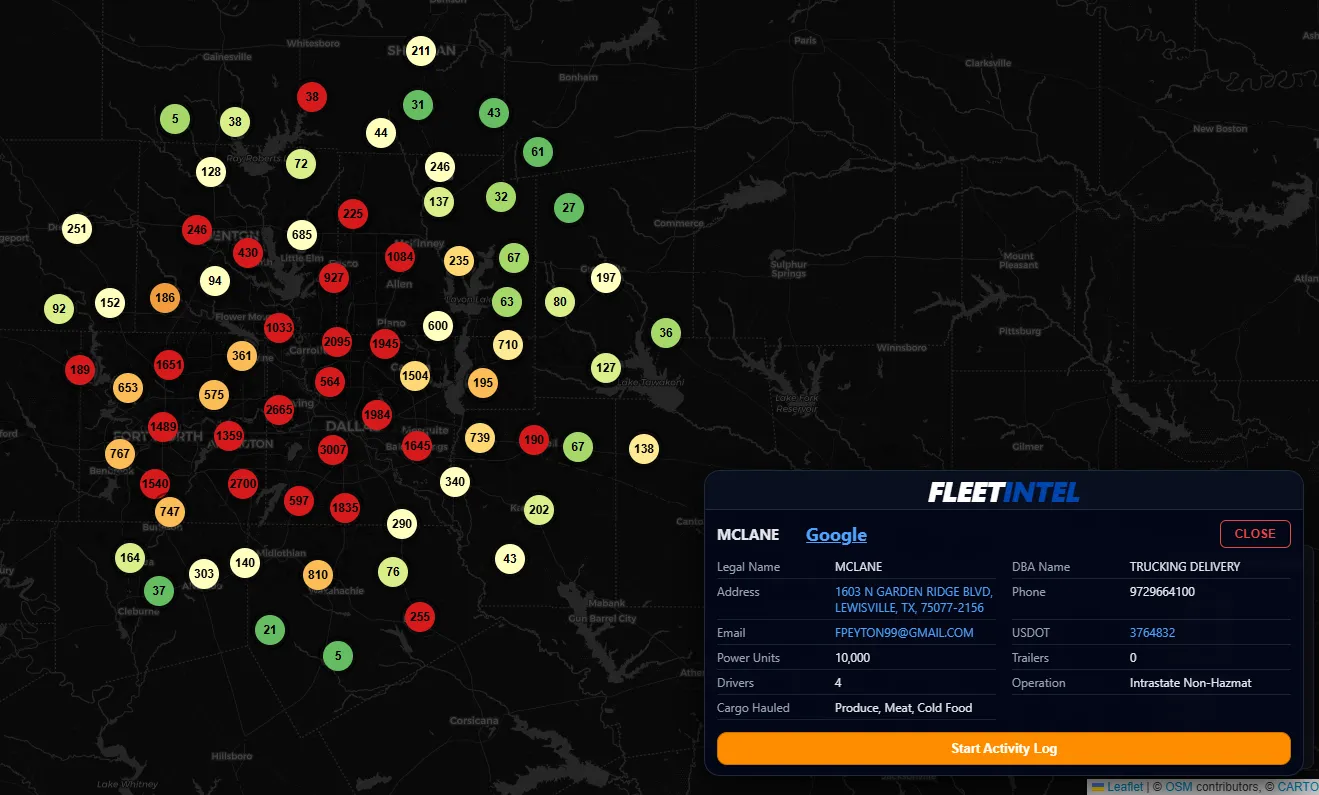
Click Image to Enlarge
ProsperFleet brags about coverage. That sounds impressive until you have to filter out 90% of the database to find a buyer. FLEETFOCUS starts with the right data set (Commercial 10k+) so your filters are about finding the right heavy fleet, not just any fleet.
The Difference: ProsperFleet requires complex query building to exclude "non-DOT" and light-duty noise. FLEETFOCUS is pre-tuned for heavy duty. You don't have to waste time filtering out pickup trucks; they aren't there.
Competitors overload you with "firmographic" data like estimated revenue or credit risk scores that are often outdated. FLEETINTEL focuses on the iron. How many trucks? How many trailers? What do they haul? This is the data that actually qualifies a sales lead.
The Difference: ProsperFleet offers deep corporate hierarchies which are great for national accounts but overkill for territory sales. FLEETINTEL gives you the operational reality of the specific terminal in your backyard.
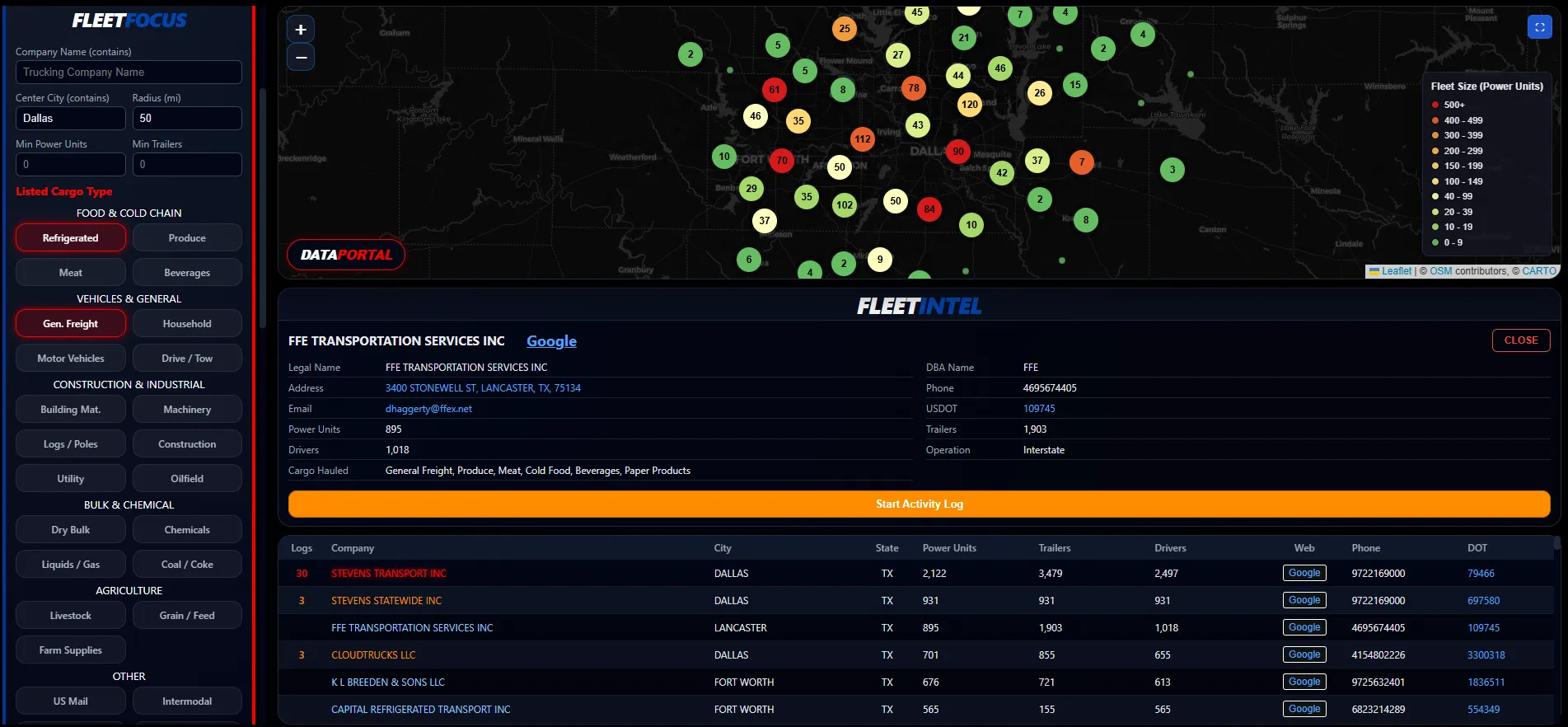
Click Image to Enlarge
Cloud databases are snapshots that refresh on a schedule. DATAPORTAL gives you a direct path to the FMCSA SAFER system and Google so you can verify if a fleet is active, check their safety rating, and see their building in real time.
The Difference: ProsperFleet, like any B2B contact database, delivers pre-enriched records that can age as people change jobs and companies rebrand. DATAPORTAL lets you validate the entity yourself on live FMCSA and web sources before you invest time in a chase.
ProsperFleet is built to feed enterprise CRMs and offers Salesforce integration for teams that live in that ecosystem. If you prefer not to rely on a large CRM stack, ACTIVITYHUB acts as your lightweight CRM so you can search, call, log, and follow up in one window.
The Difference: ProsperFleet highlights "Salesforce integration" as a key feature. We focus on delivering a complete prospecting workflow inside one application, so you don't need a large CRM project or outside consultants just to make the data usable for your team.
2.2 Million Fleets. One Application.
$349 / Year.
TruckerIntelligence is an independent software provider and is not affiliated with, sponsored by, or endorsed by Valgen or its ProsperFleet® products. The comparisons and comments on this page reflect TruckerIntelligence’s own analysis and opinions, based on publicly available information and typical customer use cases as of 2025. Features and pricing for all products may change over time, and prospective customers should confirm current details directly with each provider. Any references to competitor features or pricing are illustrative and are not official quotes. All product and company names are trademarks™ or registered® trademarks of their respective holders. Use of them does not imply any affiliation with or endorsement by them.
TruckerIntelligence is a Windows desktop application that runs locally on your hardware. Core
FMCSA data and ActivityHub records are stored on your machine, not on TruckerIntelligence
servers. Features, such as the embedded web browser, FMCSA SAFER lookups, license
activation, and software updates, require an internet connection and may communicate directly
with third-party sites you choose to access.